
CleanScan SMS Program
How we use SMS for staff authentication and facility incident alerts.
Last updated: June 2, 2026
1. Program Overview
CleanScan uses SMS for two purposes: authenticating users into the CleanScan PWA via one-time passcode (OTP), and delivering facility incident alerts to cleaning staff who have explicitly opted in.
2. Where Opt-In Occurs
SMS opt-in for the CleanScan program occurs in the CleanScan PWA at https://cscan.io/login, the operational application used by cleaning staff and facility porters. The marketing site at cleanscan.io describes the service but does not collect phone numbers. Reviewers can navigate directly to https://cscan.io/login to see the live consent UI.
3. How Users Opt In
Authentication (OTP)
Staff enter their phone number at https://cscan.io/login. The consent disclosure — including message types, frequency, rate notice, STOP and HELP instructions, and links to our Privacy Policy and Terms — is displayed directly on the phone entry screen. On submission, the user receives a one-time passcode by SMS.
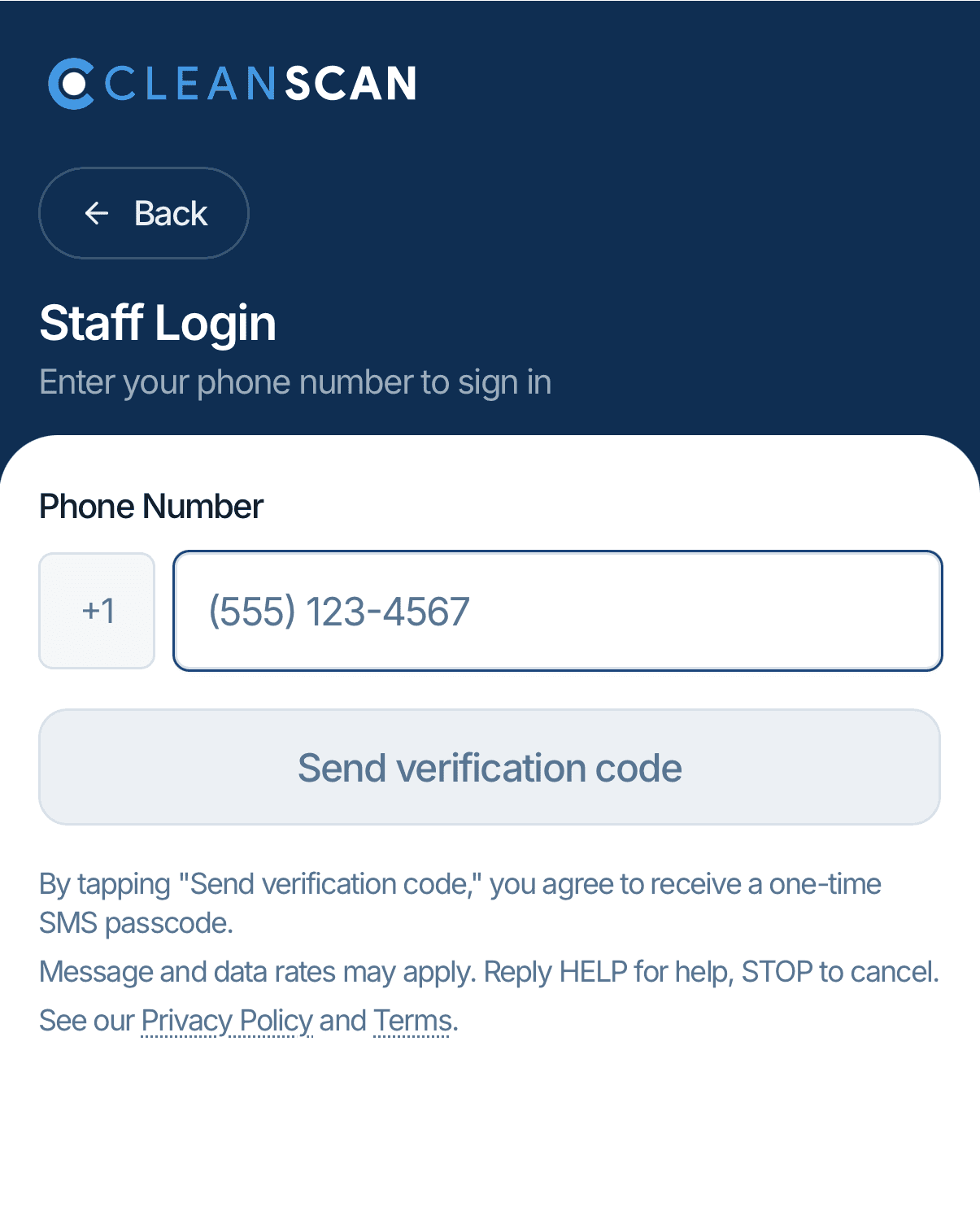
Screenshot: cscan.io login screen with phone input and consent disclosure.
Incident Alerts (Explicit Opt-In)
After a user successfully logs in, they are presented with an unchecked opt-in control for facility incident alerts. Only users who affirmatively check this box and save their preferences will receive alert SMS. The opt-in is reversible at any time through account settings, or by replying STOP to any message.
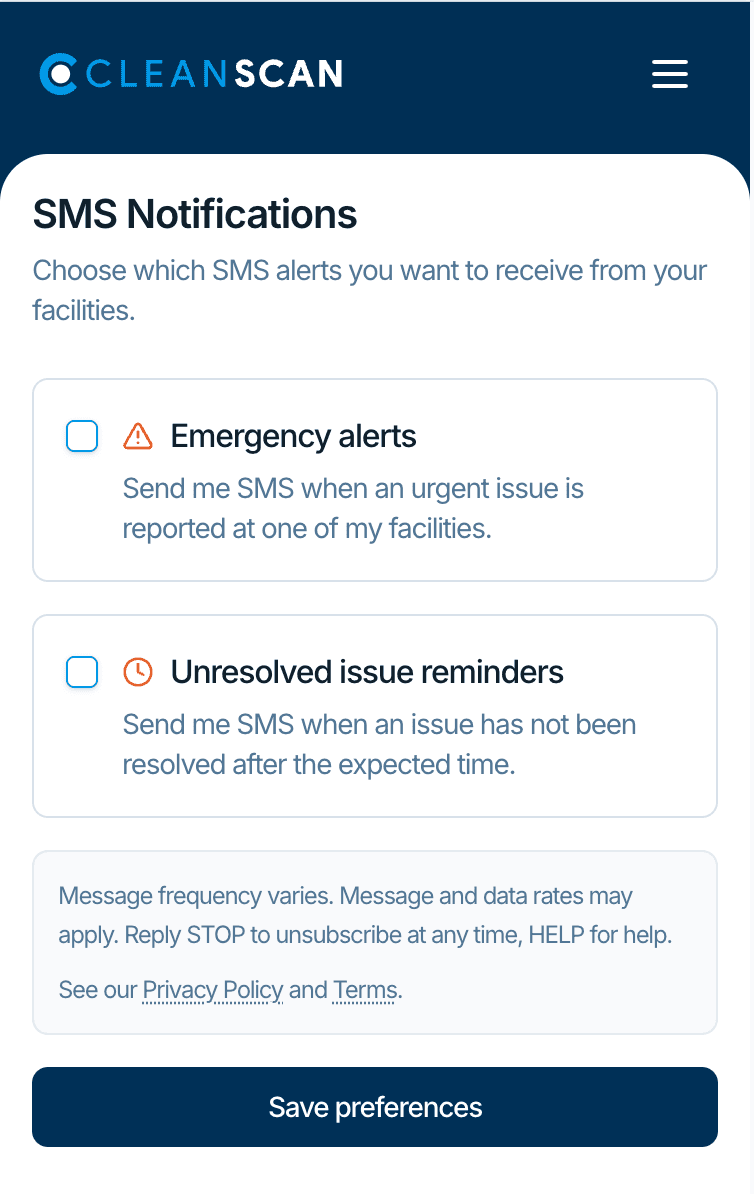
Screenshot: post-login alerts opt-in with unchecked checkboxes (default state).
4. Sample Messages
OTP (sent on login attempt)
[CleanScan] Your CleanScan verification code is 000000. It expires in 15 minutes.
Incident alert (sent to opted-in staff)
[CleanScan] URGENT - Downtown Gym Men's Locker Room: Mess Scan a tag or open app.
Login confirmation + alerts opt-in prompt (sent after a porter logs in)
[CleanScan] Welcome to CleanScan. You have successfully logged in. Reply START to receive alerts from your facility. Example: Mess reported in Men's Locker Room (ZONE #123456).
5. Program Terms
- Message frequency varies.
- Message and data rates may apply.
- Reply STOP to unsubscribe. Reply HELP for help.
- Carriers are not liable for delayed or undelivered messages.
Full terms: cleanscan.io/terms. Privacy policy: cleanscan.io/privacy.
6. Contact
Questions about our SMS program:
Email: support@cleanscan.io